PDF guide · 23 pages
Automated Payment Reminders
Quotes, overdue invoices and formal demands: EU late-payment rules, message templates and the complete n8n build
€24VAT included
See the guidePDF guide · 30 pages A4 · October 2026 edition
Execute Command, SSH, SFTP and Python: running commands in Docker, custom images, remote jobs, file transfers, native Python with pandas and numpy, and Docker networking, in recipes run on n8n 2.45.7
€29VAT included · one-time
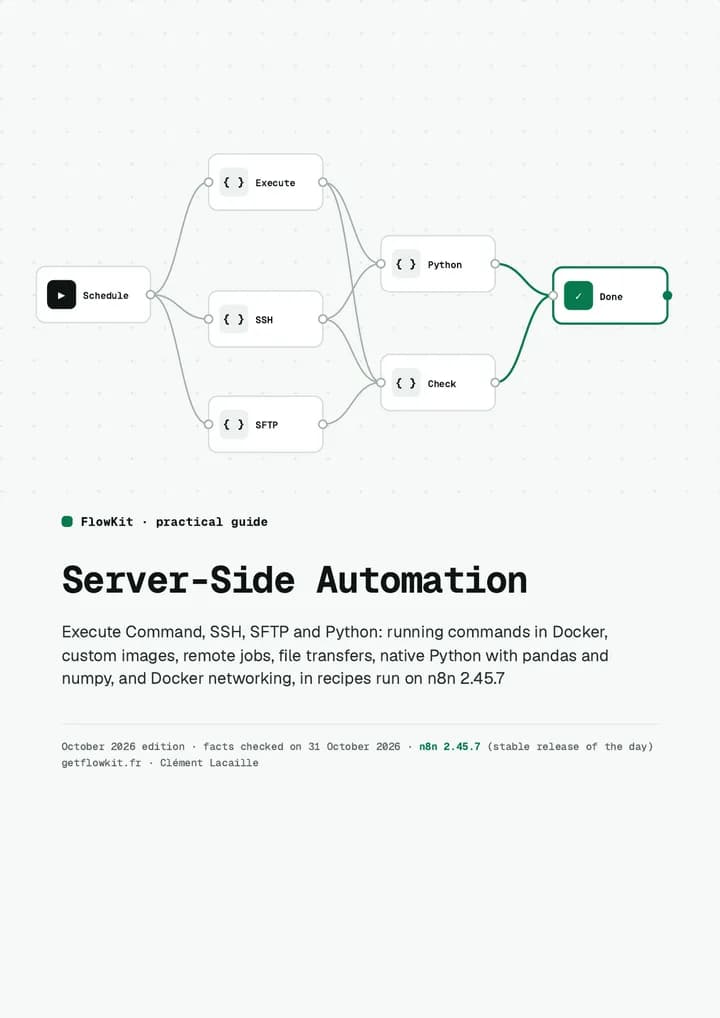
30-page A4 PDF (1.5 MB), 8 chapters, paginated chapter list. Instant download, corrected editions included.
After payment
Self-hosting n8n means you can drive your servers from it: back up a database, rotate logs, pull files over SFTP, crunch a CSV in Python. On n8n 2, almost none of it works the way older tutorials say: Execute Command is off, the official image has no package manager, the SSH node ignores exit codes and host keys, and Python starts with nothing allowed. This guide runs each job on n8n 2.45.7 and prints the settings, the commands and the real output.
14-day money-back guarantee
One email is enough for a full refund, no questions asked. Download right after payment, link also emailed to you.
What you get
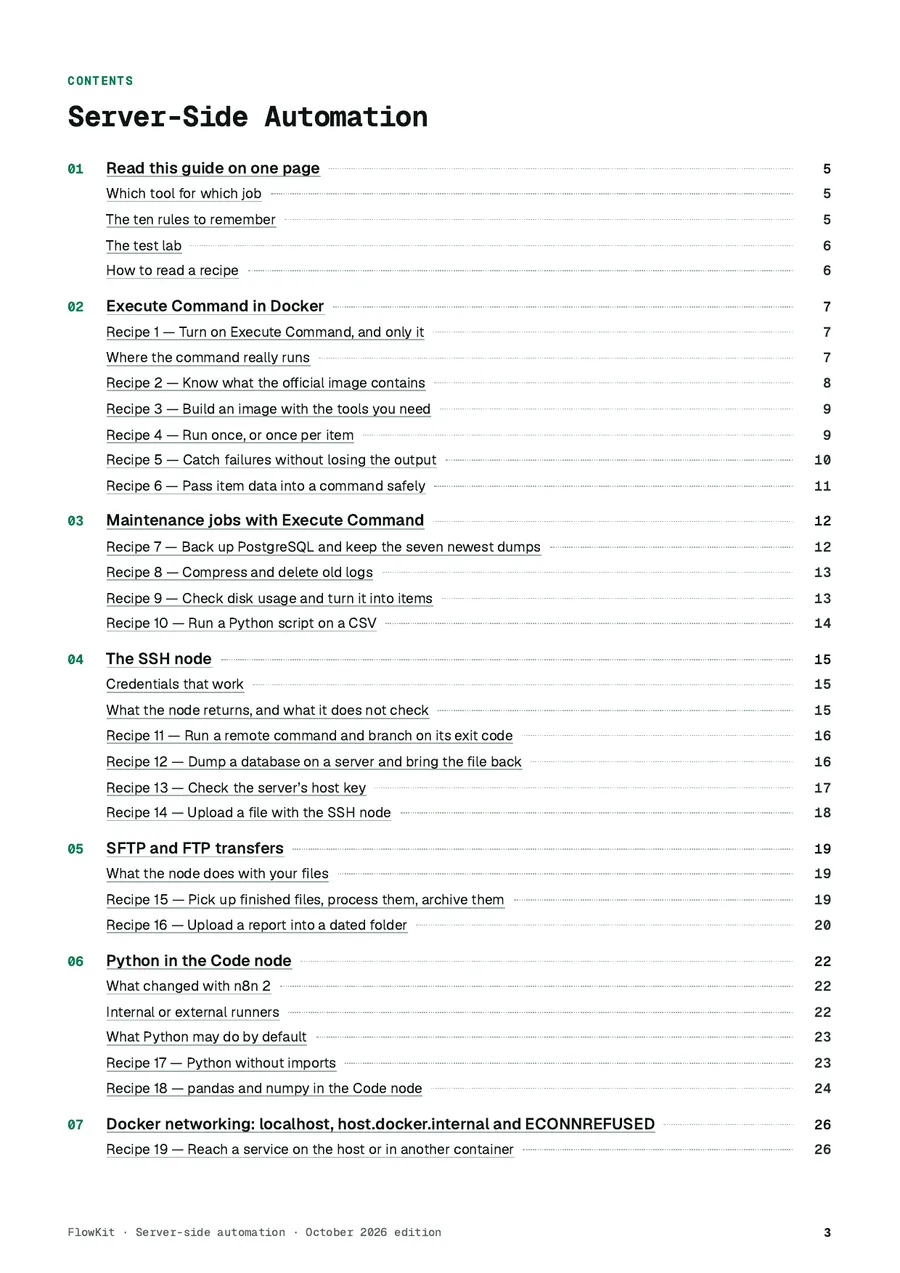
19 recipes, 30 pages
8 chapters with a paginated table of contents; each recipe gives the command or the settings and the output obtained.
Execute Command in Docker
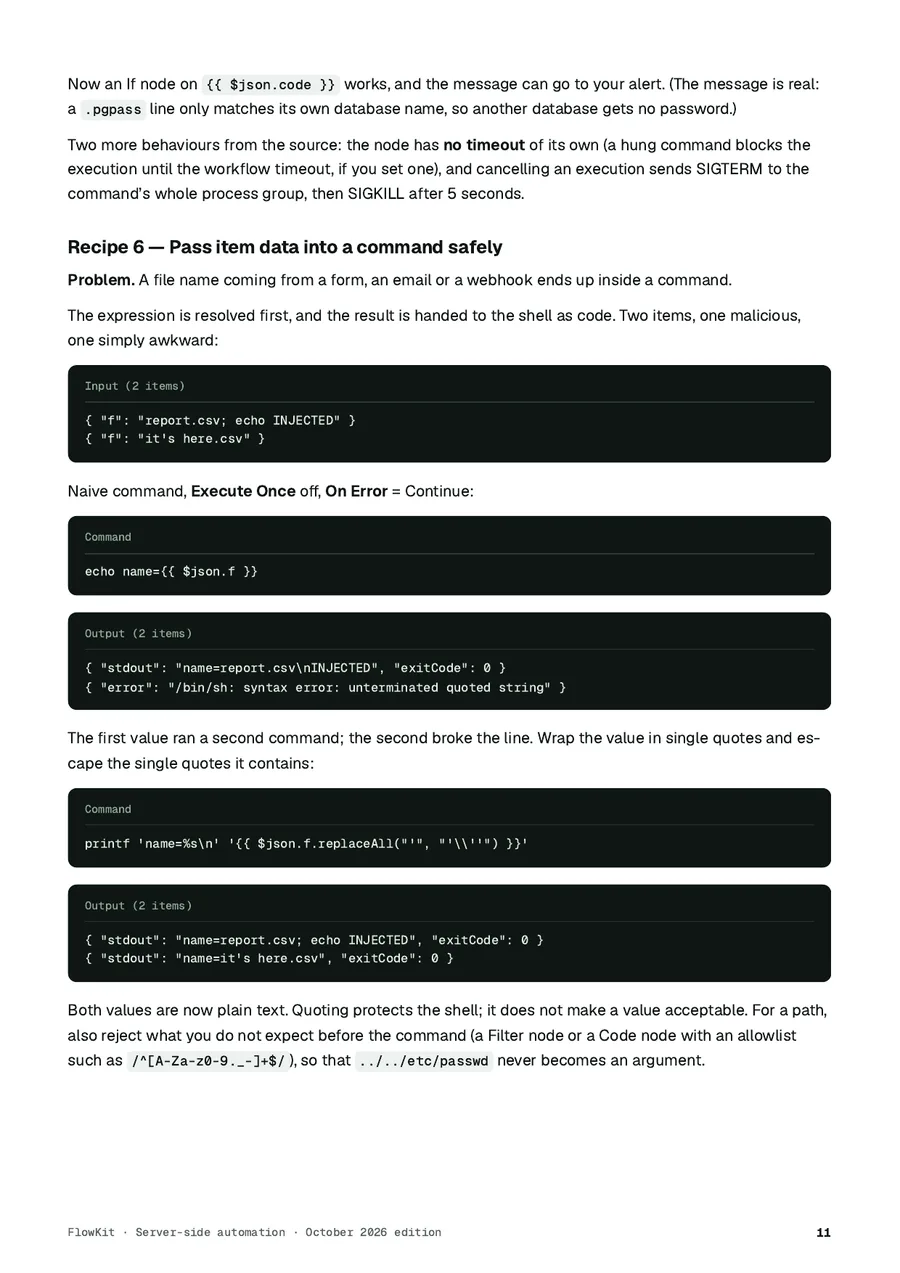
Turning it on and only it, what the official image contains, a custom image now that apk is gone, Execute Once, exit codes, quoting item values.
Maintenance jobs
PostgreSQL backup with rotation and a readability check, log compression and clean-up, disk alerts, a Python script on a CSV.
The SSH node, tested
Key formats that connect, exit codes that do not fail the node, the host key it never checks and how to pin one.
SFTP pickups
Only finished files, archived in dated folders, nothing read twice; uploads with folders created for you.
Python in the Code node
External task runners, the empty default allowlists, the exact settings pandas needs and what they open up.
Docker networking
localhost, host.docker.internal and service names tested side by side, with the error each mistake produces.
Reference pages
The complete Docker Compose set-up we ran, a table of documented limits and a go-live checklist.
Actual chapter list
Preview
Compare before you buy
| Option | What it gives you | What is missing or what it costs |
|---|---|---|
| n8n documentation | The official reference for each node, free. | Short pages; SSH exit codes, host keys, output caps and the runner allowlists in practice are not described. |
| Forum threads and blog posts | Quick answers to one error. | Often written before n8n 2: Dockerfiles with apk add, Pyodide Python, Execute Command enabled by default. |
| Asking an AI assistant | Instant and free. | Plausible commands with no execution behind them, frequently for older images and versions. |
| This guide | 19 recipes run on n8n 2.45.7, commands and outputs printed, traps flagged. | €29 once, corrected editions included, 14-day guarantee. |



Illustrative photos, published by their authors under a free licence.
One-time payment, PDF downloaded straight away, corrected editions included. Full refund for 14 days.
After payment
Payment and delivery
Checkout by Stripe
Card, Apple Pay or Google Pay on Stripe's checkout page: your card details never touch our servers.
Instant access
ZIP link on the confirmation page, copy by email, purchases findable at any time.
One-time payment, VAT included
No subscription, invoice by email, updates included.
14-day money-back guarantee
Full refund on a simple email to admin@tech-bharat.com, no questions asked.
How it works
You pay on Stripe
By card, Apple Pay or Google Pay, on Stripe's checkout page: your card details never touch our servers. One-time payment, invoice sent by email.
You download right away
The PDF link appears on the confirmation page and is also emailed to you; it stays valid for later editions.
Something wrong? We refund you
For 14 days, full refund on a simple email to admin@tech-bharat.com, no questions asked.
Seller: LACANGEL GROUP (SAS, Paris, France, VAT FR21995268018). Prices VAT included. Terms of sale
Free, on the blog
FAQ
n8n 2.45.7, the stable release on 31 October 2026, with the official n8nio/n8n and n8nio/runners images. Every output in the guide comes from a real execution; another version may differ, and corrections are carried into the next edition.
Mostly not: Execute Command, custom images and task runner settings exist only on a self-hosted instance. The SSH and SFTP recipes use standard nodes, but we tested them on a self-hosted instance only.
Only what you need to turn Execute Command on deliberately: which nodes to exclude, what a command can read, quoting, host-key pinning, what the Python allowlists open up. A full hardening of a shared instance is outside its scope.
No: it is sold on its own, outside the English guides library.
As an A4 PDF file, downloadable right after payment from the confirmation page; the link is also emailed to you and stays available from the “Find my purchases” page. Readable on desktop, tablet and phone, and printable (the checklists are meant to be ticked).
14-day commercial guarantee: full refund on simple email request to admin@tech-bharat.com, no questions asked (terms and conditions, article 6).
PDF guide · 23 pages
Quotes, overdue invoices and formal demands: EU late-payment rules, message templates and the complete n8n build
€24VAT included
See the guidePDF guide · 17 pages
Search Console, URL Inspection, AI-summarised RSS monitoring, LinkedIn and X posting, Whisper subtitles: the n8n build, with quotas checked
€24VAT included
See the guidePDF guide · 29 pages
n8n Community Edition without Enterprise: what the licence allows, Community vs paid features, users and roles, SSO in front, dev/prod with Git, execution limits — and 4 templates
€29VAT included
See the guidePDF guide · 28 pages
Items and item linking, Split Out, Aggregate, Merge and loops, AI output parsing, files and binary data, deduplication and persistent state: worked recipes with the input, the settings and the real output
€29VAT included
See the guidePDF guide · 28 pages
n8n, LangChain, Activepieces, Pipedream, Windmill, Flowise, Dify: licences quoted from the official texts, billing units converted, five typical situations and a migration checklist
€24VAT included
See the guidePDF guide · 30 pages
Backups, bulk changes, audits and deployments: scoped API keys, the endpoints your instance really serves, and 13 recipes run on n8n 2.45.7
€29VAT included
See the guidePDF guide · 31 pages
Concept mapping, rebuild checklists and cutover for flows coming from Zapier, Make, Power Automate and Node-RED: 12 recipes run on n8n 2.45.7
€29VAT included
See the guidePDF guide · 29 pages
HTML node, selectors, pagination, headless browsers and clean Markdown: 12 recipes run on n8n 2.46.4
€29VAT included
See the guidePDF guide · 29 pages
Uploads, downloads, binary data modes, large files, archives and object storage: 14 recipes run on n8n 2.46.4
€29VAT included
See the guidePDF guide · 27 pages
Idempotency, workflow state, deduplication, locks, retries and error handling: 13 recipes run on n8n 2.46.6, with the failures reproduced
€29VAT included
See the guidePDF guide · 21 pages
Exposing workflows as MCP tools and calling external MCP servers: 12 recipes run on n8n 2.46.6 with a test MCP client
€29VAT included
See the guidePDF guide · 29 pages
Offers, pricing, contracts and hosting for clients: n8n’s licence quoted, fixed price, retainer and hourly, shared or dedicated instances, EU contract and data processing clauses, quote and monthly report templates
€24VAT included
See the guidePDF guide · 27 pages
Meta Conversions API, Google Ads Data Manager API, GA4 Measurement Protocol and LinkedIn Conversions API from your workflows: 12 recipes run on n8n 2.46.6 against a local validating server
€29VAT included
See the guidePDF guide · 21 pages
Call an API, decide, schedule, process a list, keep data, receive a webhook, publish a form and handle errors in n8n: nine workflows built and run on n8n 2.45.7
€19VAT included
See the guidePDF guide · 17 pages
n8n’s HTTP Request and Webhook nodes in depth: authentication, pagination, rate limits, errors, HMAC signatures and de-duplication, every behaviour tested on n8n 2.45.7
€24VAT included
See the guidePDF guide · 16 pages
Create, connect and run a bot with n8n: BotFather, Meta Cloud API, the 24-hour window, templates, October 2026 WhatsApp pricing, scoped AI, duplicates and outages
€24VAT included
See the guide